draw.Drawing
Methods
Method Reference: draw.Drawing.Drawing
draw.Drawing: D = Drawing ()
draw.Drawing: D = Drawing (NAME)
Create an empty drawing, optionally named.
D = Drawing () returns an empty drawing called
'untitled'. D = Drawing (NAME) names it
instead; the name is carried into the output wherever the format has
somewhere to put it.
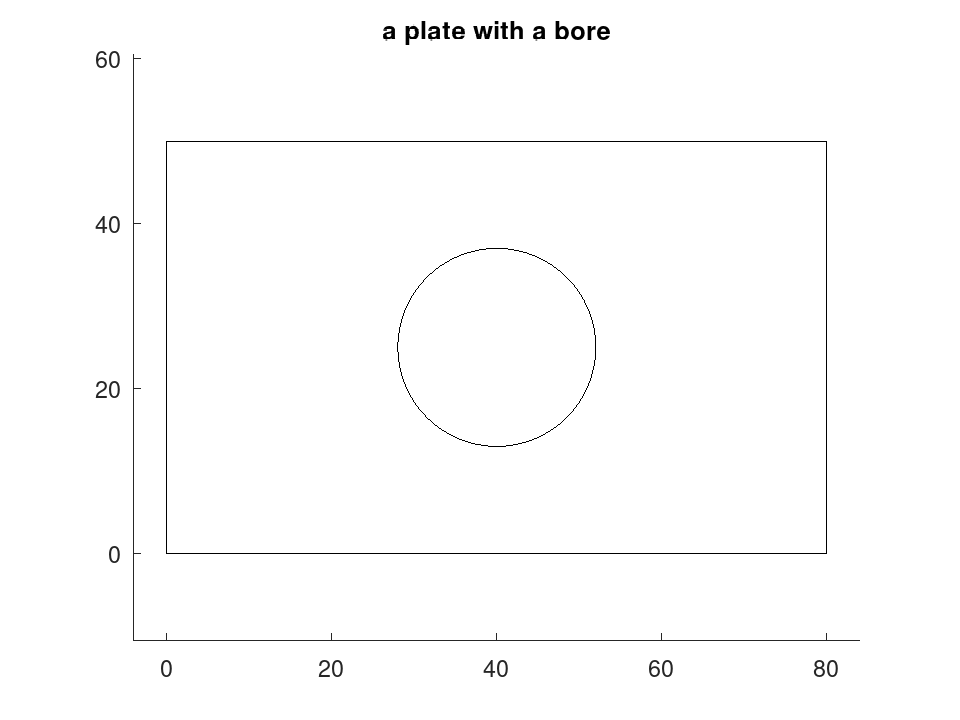
A drawing is a value, not a handle. Every method returns a new drawing and leaves its input untouched, so the methods chain and a drawing can be placed twice without the two copies interfering:
 D = draw.Drawing ('plate');
 D = D.polyline (geom.Polyline ([0, 0; 80, 0; 80, 50; 0, 50], ...
                                'Closed', true));
 D = D.circle ([40, 25], 12);
|
Entities are appended in the order the methods are called, and each takes
the Layer, Linetype and Colour current at the moment
it is appended. Setting one of those properties therefore affects what
follows and never what came before, which is how a draughtsman works and
how CAD is built.
All coordinates are in millimetres.
Source Code: draw.Drawing
A drawing is built by appending entities. It is a value class, so every method returns a new drawing and the methods chain.
 D = draw.Drawing ('plate');
 D = D.polyline (geom.Polyline ([0, 0; 80, 0; 80, 50; 0, 50], ...
                                'Closed', true)).circle ([40, 25], 12);
 numentities (D)
ans = 2
[B, W, H] = bbox (D)
B =

    0    0   80   50

W = 80
H = 50
 plot (D);
 title ('a plate with a bore');