draw.Drawing
Methods
Method Reference: draw.Drawing.block
draw.Drawing: D = block (D, NAME, B)
Define a named block from another drawing.
A block is a drawing kept once and placed as often as wanted by
insert. Nothing of it appears until it is inserted; defining one
adds no entity.
Redefining a name replaces the definition, and every insert of it takes the new geometry, which is the point of a block, and the reason a drawing that repeats a feature two dozen times should use one.
A drawing has one layer table, which its blocks share, as in a DXF
file. The layers of B the drawing lacks are added to it; a layer
it has already keeps its own properties. Draw a symbol on layer
'0' to have it take the layer of each insert placing it.
See also: draw.Drawing.insert, draw.Drawing.merge, draw.Drawing.transform
Source Code: draw.Drawing
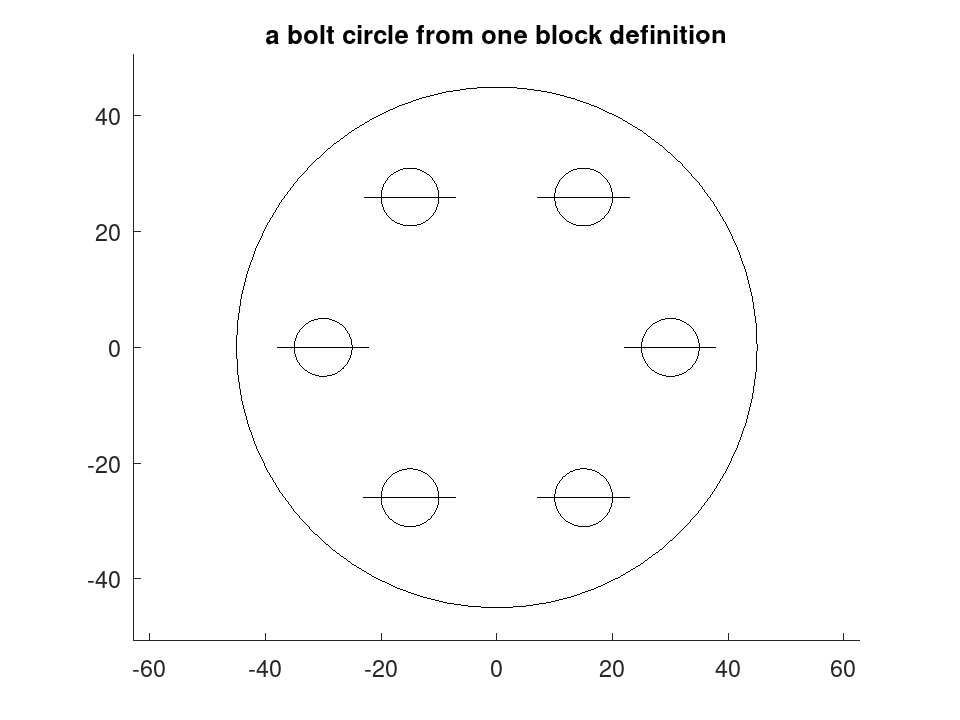
A repeated feature is better held as a block and referred to, which keeps the drawing --- and the file it becomes --- to one definition.
 bore = draw.Drawing ().circle ([0, 0], 5).line ([-8, 0], [8, 0]);
 D = draw.Drawing ('flange').circle ([0, 0], 45).block ('bore', bore);
 for k = 1:6
   a = 2 * pi * (k - 1) / 6;
   D = D.insert ('bore', 30 * [cos(a), sin(a)]);
 endfor
 printf ('%d entities, six of them placing the one block\n', ...
         numentities (D));
7 entities, six of them placing the one block
printf ('%d once expanded\n', numentities (D.expand ()));
13 once expanded
 plot (D);
 title ('a bolt circle from one block definition');