Categories &
Functions List
Function Reference: draw.colour
drafting: N = draw.colour (NAME)
drafting: RGB = draw.colour (N)
drafting: NAMES = draw.colour ()
Convert between colour names, drawing colour numbers and RGB.
N = draw.colour (NAME) returns the colour number of a
named colour, for storing on an entity.
RGB = draw.colour (N) returns the colour number rendered
as a 1-by-3 vector of red, green and blue in [0, 1], which is what a
backend drawing to a screen or to LaTeX needs.
NAMES = draw.colour () lists the names that have one.
Colours are numbers, and the number is what is stored
Entities carry a colour index, not a triple. That is the model DXF
uses and it is the one this package stores, so that a drawing written and
read back is unchanged. Index 256 means 'byLayer' — take the
layer’s colour — and 0 means 'byBlock'. Both are carried through
the file faithfully.
| N | Name | |
|---|---|---|
| 1 | 'red' | |
| 2 | 'yellow' | |
| 3 | 'green' | |
| 4 | 'cyan' | |
| 5 | 'blue' | |
| 6 | 'magenta' | |
| 7 | 'white' | drawn black on white paper |
| 8 | 'grey' | |
| 0 | 'byBlock' | |
| 256 | 'byLayer' | the default |
Indices from 9 to 255 have no names, and render as the AutoCAD colour
index draws them, so that a file from elsewhere draws in its colours: 9 a
light grey; 10 to 249 twenty-four hues 15 degrees apart, from red, each at
five values from bright to dark and alternately full and half saturated,
so that 30 is orange, [255, 127, 0] / 255; and 250 to 255 six
greys from dark to white.
No true colour. The DXF revision this package writes, R2000, carries an index and nothing else, true colour arriving only with R2004, so an arbitrary RGB triple cannot be represented. That is a limit of the format, not of this function, and it is why the index is what gets stored.
See also: draw.Drawing, draw.linetype, draw.Drawing.write
Source Code: draw.colour
Entities carry a colour index, which is the model DXF uses, so a drawing written and read back is unchanged. Names resolve to indices and indices render as RGB.
draw.colour ()
ans =
{
  [1,1] = byBlock
  [1,2] = red
  [1,3] = yellow
  [1,4] = green
  [1,5] = cyan
  [1,6] = blue
  [1,7] = magenta
  [1,8] = white
  [1,9] = grey
  [1,10] = byLayer
}
draw.colour ('red')
ans = 1
draw.colour (5)
ans =

   0   0   1
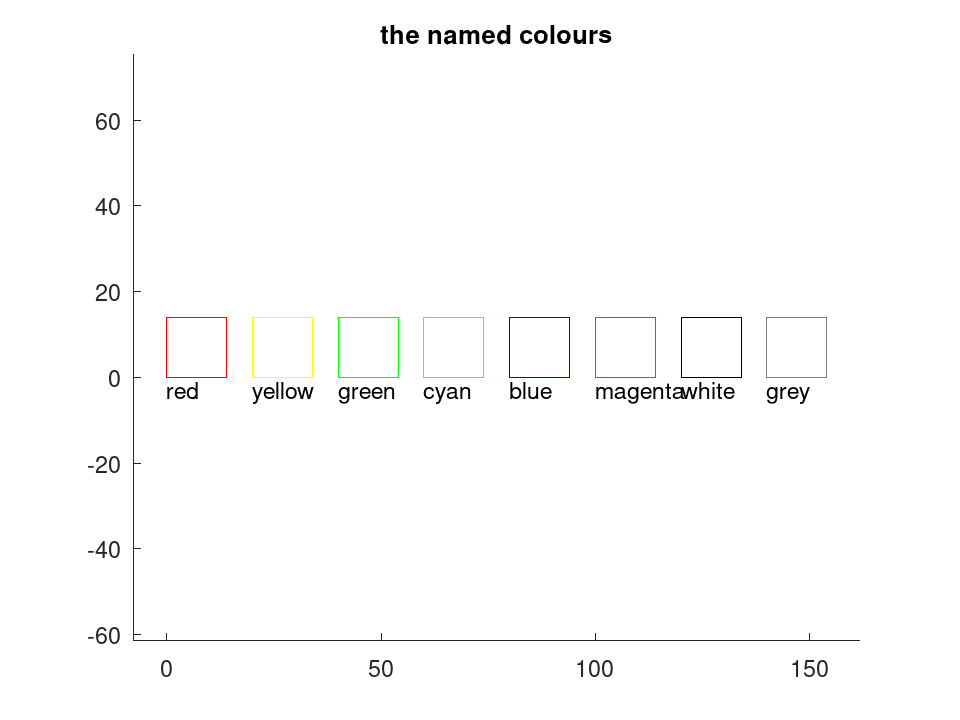
The named colours, drawn. Index 256 means take the layer's colour, which is the default and is why an ordinary drawing needs none of this.
 D = draw.Drawing ();
 x = 0;
 for nm = draw.colour ()
   if (any (strcmp (nm{1}, {'byBlock', 'byLayer'})))
     continue;
   endif
   D.Colour = nm{1};
   D = D.polyline (geom.Polyline ([x, 0; x + 14, 0; x + 14, 14; x, 14], ...
                                  'Closed', true));
   D.Colour = 'byLayer';
   D = D.text ([x, -5], nm{1}, 3);
   x += 20;
 endfor
 plot (D);
 title ('the named colours');