Categories &
Functions List
Function Reference: geom.fillet
drafting: CTR = geom.fillet (A, B, R)
drafting: [CTR, TA, TB, ANG] = geom.fillet (…)
The arc of a given radius tangent to two lines.
CTR = geom.fillet (A, B, R) returns the centre
of the arc of radius R that runs tangent to both lines, rounding the
corner they form. Each line is a 2-by-2 matrix of two points on it.
[CTR, TA, TB, ANG] = geom.fillet (…)
also returns the point at which the arc meets each line, and the two angles
[A1, A2] in degrees at which those points stand from the
centre. Those four values are exactly the arguments of
draw.Drawing.arc, so the fillet is drawn by handing them straight on.
Rounding a corner is among the most common things done to a drawing, and it is the operation a fabricator most often needs specified: an internal corner has a radius whether the drawing says so or not, because the tool that cut it had one.
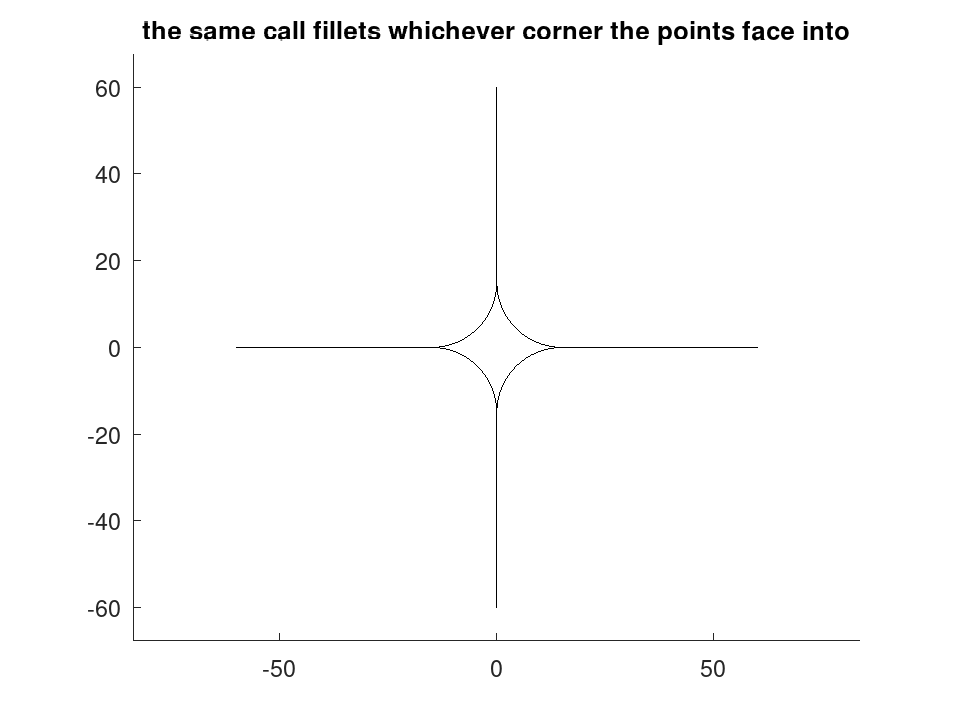
Which of the four corners
Two crossing lines make four corners, and a radius fits in each. The one filleted here is the corner the given points face into: for each line the endpoint further from the crossing sets a direction, and the arc is placed in the wedge between those two directions.
So the lines are read as they would be drawn — each running away from the corner being rounded — and no fourth argument is needed to say which corner was meant.
The order of a line’s two points does not matter, only which side of the crossing they lie on: the further of the two sets the direction either way. To round a different corner, give points on the other side of the crossing, not the same points reversed.
What is refused
Parallel lines have no corner to round, and raise. So does a radius the corner cannot hold: the tangent points would fall beyond the ends of the lines supplied, meaning the fillet wants more line than exists. That last check uses the given points as the extent of real material, which is what they are when the lines come from a drawing.
See also: geom.intersectlines, geom.tangentpoints, draw.Drawing
Source Code: geom.fillet
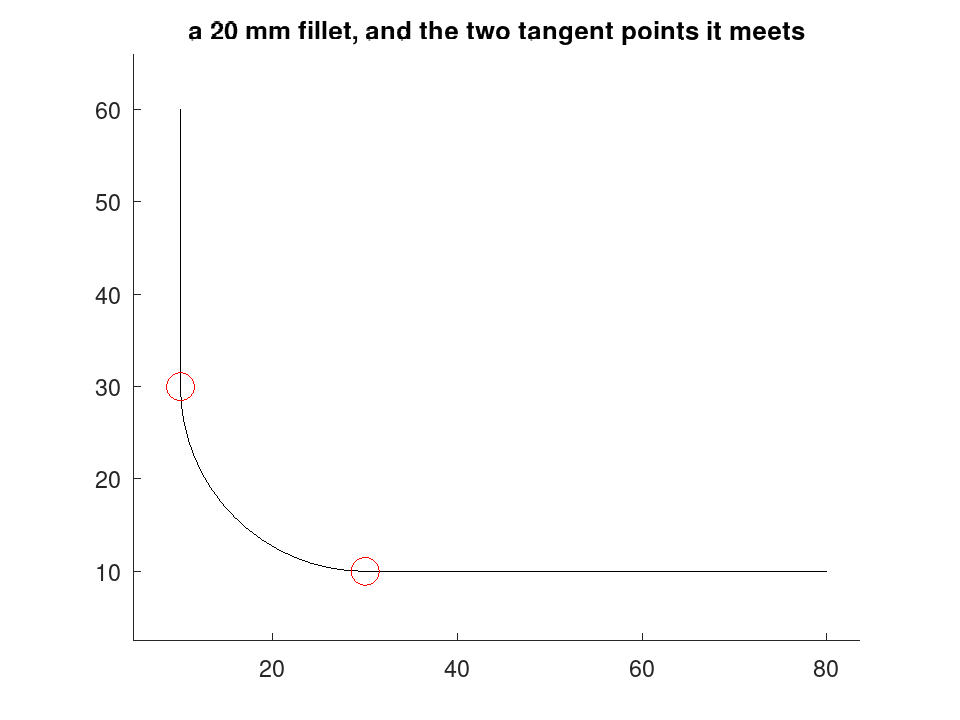
Rounding a corner is the commonest edit a drawing gets. geom.fillet returns the arc centre, where it meets each line, and the two angles --- which are exactly what draw.Drawing.arc takes, so the fillet is drawn by handing them straight on.
 A = [10, 60; 10, 10];
 B = [10, 10; 80, 10];
 [C, TA, TB, ANG] = geom.fillet (A, B, 20)
C =

   30   30

TA =

   10   30

TB =

   30   10

ANG =

   180   270
Each line is drawn only as far as its tangent point, and the arc joins them; the red marks are where the arc meets each line.
 D = draw.Drawing ();
 D = D.line (A(1,:), TA).line (TB, B(2,:)).arc (C, 20, ANG(1), ANG(2));
 D.Colour = 'red';
 D = D.circle (TA, 1.5).circle (TB, 1.5);
 plot (D);
 title ('a 20 mm fillet, and the two tangent points it meets');
The corner filleted is the one the given points face into, so all four are reachable without a fifth argument. The order of a line's two points does not matter; which side of the crossing they lie on does.
 D = draw.Drawing ();
 for s = [1, -1]
   for t = [1, -1]
     A = [0, 0; 60 * s, 0];
     B = [0, 0; 0, 60 * t];
     [C, TA, TB, ANG] = geom.fillet (A, B, 15);
     D = D.line (A(2,:), TA).line (TB, B(2,:)).arc (C, 15, ANG(1), ANG(2));
   endfor
 endfor
 plot (D);
 title ('the same call fillets whichever corner the points face into');