Categories &
Functions List
Function Reference: draw.symbol
drafting: CODE = draw.symbol (NAME)
drafting: NAMES = draw.symbol ()
The code that stands for a drawing symbol in a text string.
CODE = draw.symbol (NAME) returns the sequence that means
one of the symbols a drawing needs but a plain character set has no letter
for. Put it in any text — a dimension label, a note, a title block field
— and each backend renders it as the symbol.
NAMES = draw.symbol () lists the names.
| Name | Code | |
|---|---|---|
'diameter' | %%c | before a diameter figure |
'degree' | %%d | after an angle |
'plusminus' | %%p | before a symmetric tolerance |
'percent' | %%% | a literal per cent sign |
Why a code and not the character
The three symbols cannot simply be written into the text, because the
backends disagree about how to carry them and none of them takes a bare
Unicode character reliably. A DXF file carries a character outside ASCII
only as a \U+XXXX escape, which not every reader decodes; a LaTeX
backend needs a control sequence, not a character; and a figure renders
whatever glyph its font happens to hold.
These codes are the ones AutoCAD has used for the same purpose since before
any of that was settled, so a DXF file carries them verbatim and
correctly, and only the other backends have to translate. A CAD user already
knows them, and a drawing typed by hand with %%c in a label works
without this function ever being called.
What each backend does
write | writes the code unchanged; CAD renders it |
tikz | translates to LaTeX needing no extra package |
plot | substitutes a character the figure font holds |
See also: draw.Drawing, draw.Drawing.tikz, draw.Drawing.plot
Source Code: draw.symbol
The symbols a drawing needs but a plain character set has no letter for. Put the code in any text and each backend renders it.
draw.symbol ()
ans =
{
  [1,1] = diameter
  [1,2] = degree
  [1,3] = plusminus
  [1,4] = percent
}
draw.symbol ('diameter')
ans = %%c
label = [draw.symbol('diameter'), '25 ', draw.symbol('plusminus'), '0.05']
label = %%c25 %%p0.05
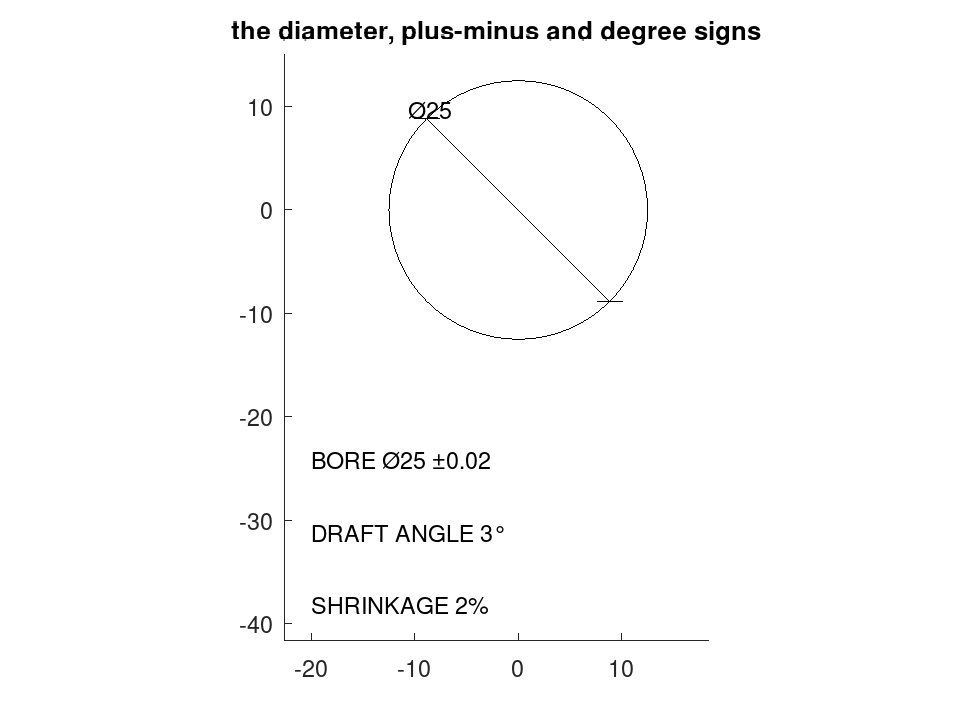
They may be typed directly, which is what a CAD user already does. Here all three appear on one drawing.
 D = draw.Drawing ().circle ([0, 0], 12.5);
 D = D.diam ([0, 0], 12.5, 135);
 D = D.text ([-20, -25], 'BORE %%c25 %%p0.02', 3.5);
 D = D.text ([-20, -32], 'DRAFT ANGLE 3%%d', 3.5);
 D = D.text ([-20, -39], 'SHRINKAGE 2%%%', 3.5);
 plot (D);
 title ('the diameter, plus-minus and degree signs');